Install and set up
Install PrimeCart, enable the theme embed, configure Cart Studio, and test your first cart flow.
Install PrimeCart PrimeCartInstall PrimeCart
Find the right path for setup, storefront troubleshooting, billing, or product questions.
Start with focused presets, follow a three-step launch workflow, and copy diagnostics when support is needed.
See how it works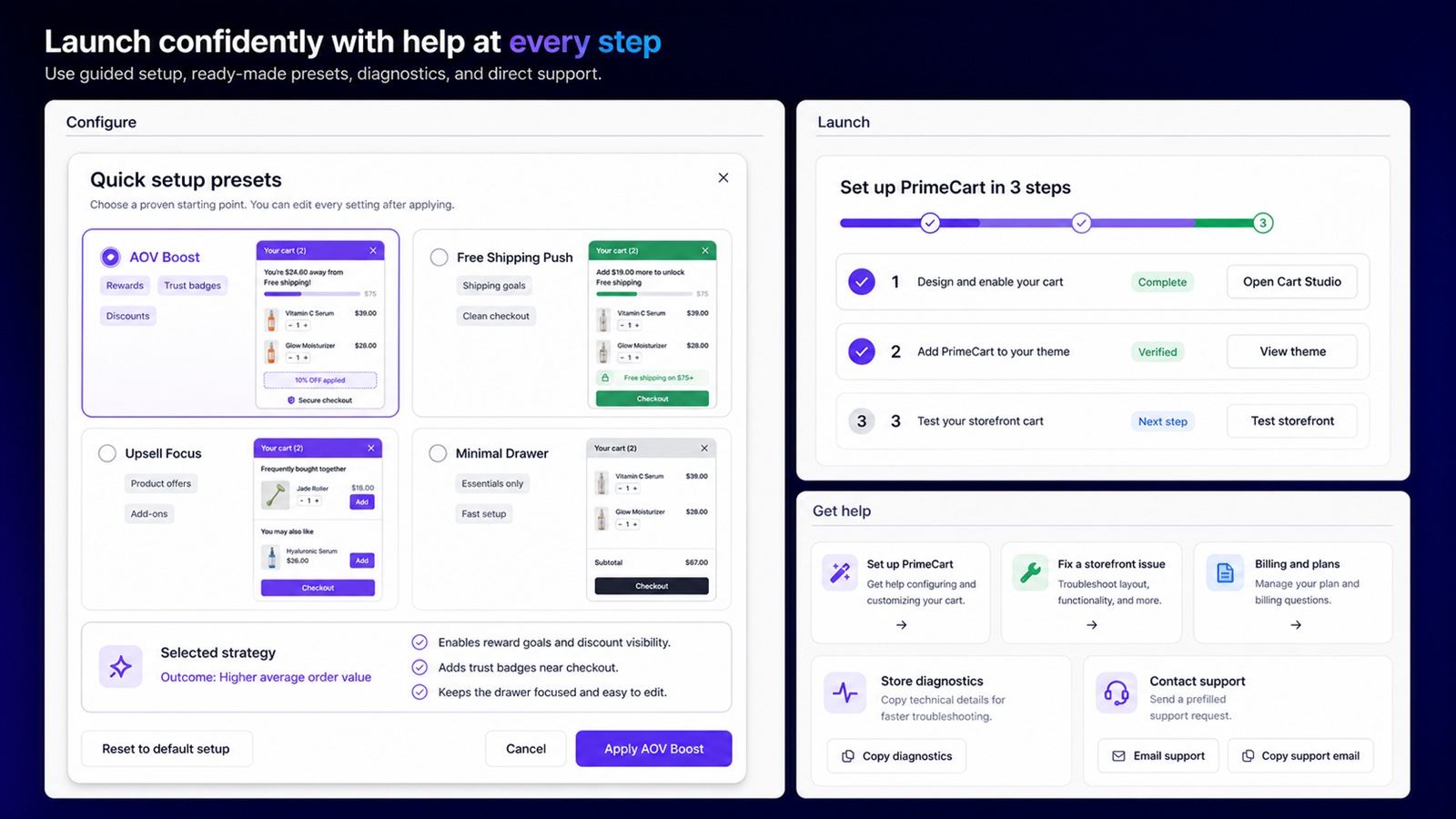
Install PrimeCart, enable the theme embed, configure Cart Studio, and test your first cart flow.
Install PrimeCartOpen PrimeCart in Shopify Admin to start a trial, review access, manage billing, or cancel.
Open your storeInstalled merchants can open Support inside PrimeCart to send store diagnostics with their request.
Get in-app supportLooking for optimization advice? Read the Shopify cart growth guide.
No theme rebuild is required. PrimeCart uses a Shopify theme app embed and guided activation.
Development stores receive free access. Live stores can use the seven-day free trial.
Subscriptions are managed through Shopify's hosted pricing and billing experience.
The typical response time is within 24 hours, Monday through Sunday.