 PrimeCart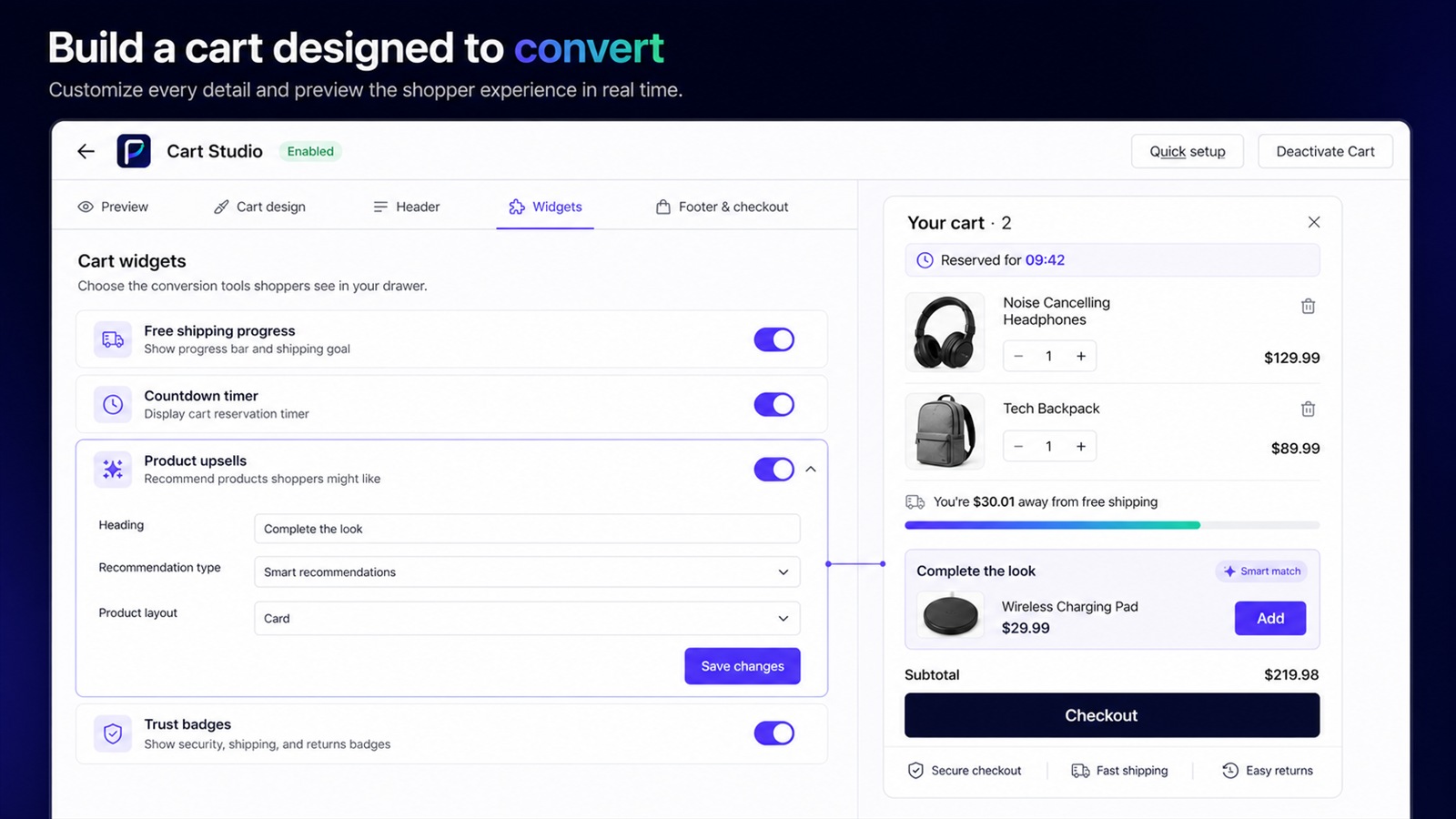
What is a Shopify cart drawer?
A Shopify cart drawer is a slide-out cart that lets shoppers review products, adjust quantities, see offers, and continue to checkout without leaving the page they are browsing.
Unlike a traditional cart page, a drawer keeps the shopper in their current browsing context. A useful drawer makes cart contents, quantities, subtotal, and checkout immediately clear. Enhancements should support that core job rather than compete with it.
What should a good cart drawer include?
- Clear product, variant, quantity, price, and removal controls.
- A visible subtotal and prominent checkout button.
- Fast updates when an item is added or changed.
- Optional offers and rewards that remain easy to understand.
How do you add upsells to a Shopify cart?
Use a theme-compatible cart app or custom implementation to place relevant product offers inside the cart. Keep the recommendation complementary, explain its value, and let shoppers add it without interrupting checkout.
The best offer usually completes or improves the purchase already in the cart. Start with one focused recommendation, keep its price and variant clear, and make add-to-cart a single action. Avoid random catalogs that create decision fatigue.
A simple upsell workflow
- Choose a complementary product or recommendation rule.
- Preview the active cart and empty-cart states.
- Test the offer, quantity updates, and checkout path on mobile.
- Track impressions, accepted offers, upsell revenue, and conversion.
How does a free-shipping progress bar work?
It shows the shopper's current cart value against a shipping threshold and updates the amount remaining. It works best when the threshold is attainable and the message stays accurate in the shopper's currency.
Pair the goal with products that naturally help shoppers close the gap. Once reached, replace the remaining amount with a clear success state. Confirm that the displayed threshold matches the store's actual shipping rules.
How can a cart drawer increase average order value?
A cart drawer can present relevant add-ons, spending goals, gifts, and trust information at a high-intent moment. Measure accepted offers and revenue per cart session to learn which prompts create genuine value.
Use a small number of relevant prompts and evaluate their effect on the whole cart journey. A higher offer acceptance rate is useful, but it should not come at the expense of checkout completion.
Metrics worth monitoring
- Upsell conversion and products added through offers.
- Average upsell value and influenced revenue.
- Revenue per cart session and cart conversion rate.
- Checkout click rate and cart abandonment rate.
How should you test a cart drawer before launch?
Test on a development store with realistic products, variants, discounts, markets, and mobile screen sizes. Verify the theme app embed, add-to-cart behavior, quantity changes, empty state, offer acceptance, shipping goal, and checkout handoff before enabling live traffic.
PrimeCart includes development-store access, guided setup, preview scenarios, and revenue analytics so these checks can happen before launch.